Apps & Games
The boundary between productivity apps and games has never been thinner. Modern users expect their workflows to sync seamlessly across devices while demanding that their games run at peak performance with minimal latency. Whether you’re automating administrative tasks between iOS and Windows or squeezing every frame out of your competitive shooter, understanding how software interacts with hardware is the key to a smoother digital experience.
This category covers the entire spectrum of the app and gaming ecosystem. From troubleshooting calendar sync failures to mapping touch controls onto physical controllers, each topic addresses a real friction point that users encounter daily. The following sections break down these challenges into actionable insights, helping you navigate cross-platform productivity, optimize gaming performance, maintain network stability, and make informed choices about mobile gaming platforms.
Why Does Cross-Platform Synchronization Still Feel Broken?
Imagine writing a document on your laptop, then picking up your tablet only to find an outdated version staring back at you. This frustrating scenario happens more often than it should, even with active cloud services running in the background. The problem rarely lies with your internet connection—it usually stems from how different operating systems handle sync protocols differently.
Calendar and Clipboard Sync Failures
Calendar sync issues between devices typically originate from authentication token expiration or conflicting timezone settings buried deep in system preferences. When your phone shows a meeting at 3 PM but your desktop insists it’s at 2 PM, the culprit is often a mismatch between the calendar app’s local cache and the server’s authoritative data.
Setting up a universal clipboard across three different operating systems requires understanding that each platform guards its clipboard data jealously. Native solutions exist, but they often require you to be locked into a single ecosystem. Third-party tools bridge this gap by creating a neutral synchronization layer, though they introduce their own learning curve.
Native Integration vs Third-Party Tools
When transferring large files between platforms, you face a fundamental choice:
- Native integration offers tighter security and smoother performance within its ecosystem, but often fails when crossing platform boundaries
- Third-party tools provide flexibility and universal compatibility at the cost of additional setup and potential privacy considerations
- Hybrid approaches—using native tools where possible and third-party bridges only when necessary—often deliver the best balance
The reliability question has no universal answer. For sensitive documents, native solutions typically offer better encryption guarantees. For collaborative workflows spanning multiple operating systems, specialized sync tools remain indispensable.
API Permissions and Data Privacy
Every time an app requests access to your calendar, contacts, or clipboard, it creates a potential data exposure vector. API permission errors sometimes reveal more than they should, inadvertently exposing personal data to developers who only needed limited access. Auditing your connected apps regularly—removing those you no longer use—significantly reduces this risk surface.
How Can You Automate Repetitive Tasks Across Platforms?
Administrative tasks consume roughly half of many professionals’ workdays. Cross-platform scripts offer a powerful escape route, automating file organization, data backups, report generation, and notification routing without manual intervention.
The secret lies in identifying tasks that follow predictable patterns. If you perform the same action more than twice weekly, it’s a candidate for automation. Tools ranging from simple shell scripts to sophisticated workflow platforms can handle these repetitive burdens, freeing your attention for work that actually requires human judgment.
What Actually Improves Your Aim in Competitive Games?
The gaming community debates endlessly about hardware advantages. Does a higher refresh rate monitor guarantee better aim? Will upgrading to a wired mouse eliminate those frustrating missed shots? The answers are more nuanced than marketing materials suggest.
Refresh Rate vs Input Lag
A 144Hz monitor displays frames more frequently than a 60Hz panel, creating smoother visual motion. However, this smoothness becomes meaningless if your input lag—the delay between moving your mouse and seeing the result on screen—remains high. Input lag compounds from multiple sources: your mouse’s polling rate, USB processing, game engine delays, and monitor response time.
Think of it like a relay race. The monitor’s refresh rate determines how often the final runner crosses the finish line, but every runner before them must hand off the baton quickly for that speed to matter. A chain is only as strong as its weakest link.
Hardware Optimization Strategies
Stripping Windows bloatware can realistically recover 10-15 FPS in competitive games by eliminating background processes that compete for CPU and memory resources. Services you never use still consume system resources unless explicitly disabled.
The wired versus wireless mouse debate has largely concluded in recent testing. Modern wireless gaming mice using proprietary 2.4GHz connections now achieve latency figures indistinguishable from wired alternatives. The technology has matured to the point where cable drag—which introduces physical inconsistency to mouse movement—may actually present a larger practical disadvantage than any wireless delay.
Why Does Network Quality Matter More Than Speed?
You might have a blazing-fast download speed and still watch your competitive rank plummet. The reason? Packet loss matters far more than raw bandwidth for real-time gaming. When data packets fail to reach the server, the game must either wait (creating lag spikes) or guess your intentions (creating rubber-banding).
Packet loss typically spikes during peak usage hours when your ISP’s network becomes congested. It can also stem from faulty Ethernet cables, aging router hardware, or interference affecting wireless connections. Diagnosing the source requires systematic testing—checking each link in the chain between your device and the game server.
Reducing ping in competitive mobile games when on Wi-Fi involves similar principles: minimizing interference, positioning closer to your router, and ensuring no bandwidth-heavy applications compete for the same network resources during gameplay sessions.
When Should You Play Ranked Matches?
Matchmaking systems attempt to pair players of similar skill, but they can’t filter out experienced players using secondary accounts—commonly called smurfs. These players artificially lower their visible rank to compete against less experienced opponents.
Statistical analysis of matchmaking patterns reveals that smurf activity tends to concentrate during specific time windows, often late evening hours when the main player population thins. Playing during peak hours, when the matchmaking pool is largest, typically produces more balanced games simply because the system has more similarly-ranked players to choose from.
Mobile Gaming: Performance, Controls, and Platform Choices
Mobile gaming presents unique challenges that desktop players never face. Battery limitations, thermal throttling, and touch-based controls fundamentally change how games must be played and optimized.
Battery and Thermal Management
Your phone dims its screen during graphically intensive games like Genshin Impact because the processor generates substantial heat during sustained workloads. Thermal throttling reduces performance to prevent hardware damage, and dimming the display is one mechanism the system uses to lower overall power consumption and heat generation.
Cloud gaming shifts processing to remote servers, dramatically reducing local power consumption and heat generation. Native apps deliver lower latency and work offline, but drain batteries faster. Choosing between them depends on your priorities: responsiveness versus endurance.
Controller Mapping for Touch Games
Many mobile games lack native controller support, forcing players to use touch controls that feel imprecise compared to physical buttons. Third-party apps can map touch screen regions to controller inputs, essentially creating virtual buttons that respond to your PS5 controller or equivalent hardware. This approach transforms previously frustrating experiences into genuinely playable ones.
Subscription Services Compared
Apple Arcade and Google Play Pass both promise ad-free gaming experiences through monthly subscriptions, but their approaches differ:
- Apple Arcade funds exclusive game development, resulting in polished titles unavailable elsewhere
- Google Play Pass bundles existing premium games and apps, offering broader quantity but variable quality
- Both eliminate in-app purchases within their included titles, addressing a major mobile gaming frustration
The Ethical Dimension of Mobile Game Design
Gacha mechanics—randomized reward systems requiring payment for each attempt—have drawn increasing regulatory scrutiny. These systems function identically to slot machines psychologically, using variable reward schedules that research consistently links to compulsive behavior patterns.
Understanding these mechanics helps players recognize when a game is designed to extract money rather than provide entertainment. Not every game using these systems is predatory, but awareness allows players to set boundaries before engaging with titles that may be engineered to exploit psychological vulnerabilities.
Whether you’re optimizing workflows between devices, tuning your competitive gaming setup, or navigating the mobile gaming landscape, informed decisions require understanding how these systems actually function beneath their surface interfaces. Each topic explored here connects to deeper technical realities worth investigating further.
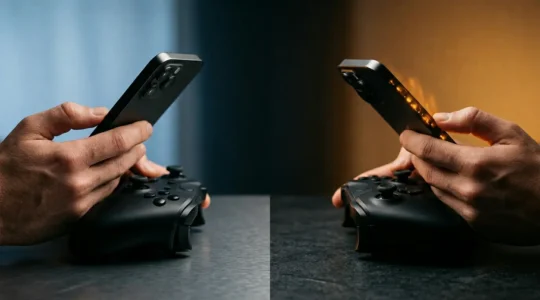
Cloud Gaming vs Native Apps: Which Mobile Strategy Saves Your Battery Life?
The choice between cloud and native gaming for battery life isn’t about which uses more power, but which one manages heat more effectively. Native gaming’s intense System-on-a-Chip (SoC) load leads to rapid thermal throttling, which actively degrades performance to save…
Read more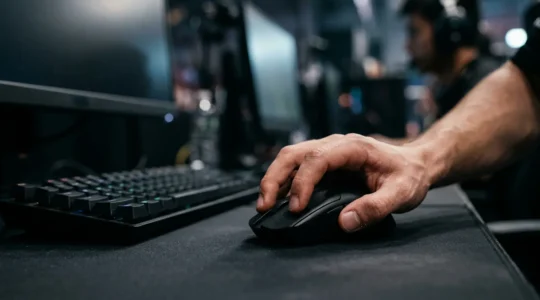
High Refresh Rate vs Low Latency: What Actually Makes You Aim Better in FPS Games?
The common wisdom is wrong: a high refresh rate monitor is only one piece of the puzzle. Your real enemy is the cumulative “latency chain” across your entire system. Total system latency, from mouse click to display, is what determines…
Read more
The Freelancer’s Guide to Bulletproof Syncing Between iOS and Windows 11
Achieving seamless sync between iOS and Windows isn’t about finding a single magic app, but about understanding and mitigating the technical failure points that cause data loss and security breaches. Sync failures often stem from deep protocol mismatches (CalDAV vs….
Read more